

Now playing
Artwork on the leading side, a live level meter on the trailing side, transport controls when expanded.
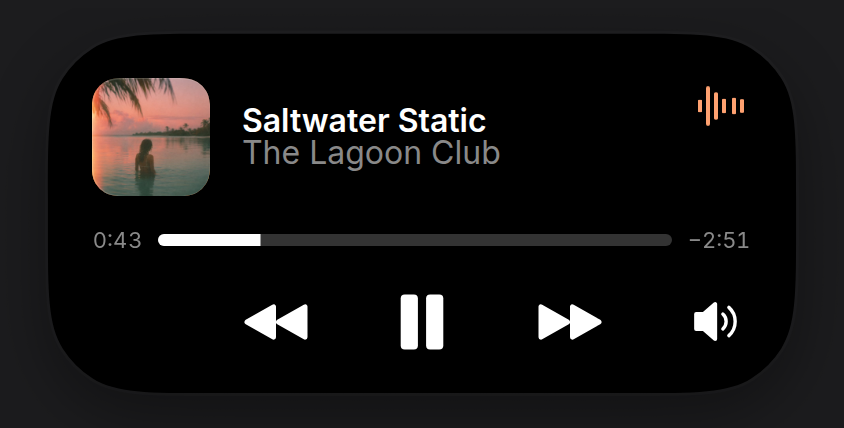
Music or a podcast. Without artwork it draws a gradient cover from the title and artist and takes its accent from it, so every track looks distinct.
Install
npx shadcn@latest add https://islandcn.dev/r/now-playing-activity.jsonpnpm dlx shadcn@latest add https://islandcn.dev/r/now-playing-activity.jsonyarn dlx shadcn@latest add https://islandcn.dev/r/now-playing-activity.jsonbunx shadcn@latest add https://islandcn.dev/r/now-playing-activity.jsonThis writes components/islandcn/now-playing-activity.tsx, plus the content kit and the engine if the project lacks them. Mount the island once first, see Installation.
What it shows
- Compact: the cover on the leading side and a moving six-bar level meter, tinted from the cover, on the trailing side.
- Split: its compact pair, as the reference phone shows it, in the pill or in the 62.18 wide capsule. When the pair is too wide for the split, the fallback is the cover and a smaller meter.
- Expanded: a 60 pt cover with the title (semibold, white) and artist (grey, the same 16 pt) beside it, the level meter in the top corner, a 6 pt white scrubber on a grey track between the elapsed and remaining times, and a transport row: previous, a large play or pause, and next centred on the island, and an audio output button (a speaker with sound waves) at the trailing end. Each button shows when you pass its handler.
- Updates: the elapsed and remaining times turn over their digits with the engine’s
IslandNumber, and the scrubber moves withIslandProgress.
Usage
"use client";

import { NowPlayingActivity, type PlaybackState } from "@/components/islandcn/now-playing-activity";

interface Track {
  title: string;
  artist: string;
  durationMs: number;
  coverUrl: string;
}

interface PlayerIslandProps {
  track: Track;
  playback: PlaybackState;
  toggle: () => void;
  next: () => void;
}

export const PlayerIsland = ({ track, playback, toggle, next }: PlayerIslandProps) => (
  <NowPlayingActivity
    title={track.title}
    artist={track.artist}
    duration={track.durationMs}
    artwork={track.coverUrl}
    playback={playback}
    onToggle={toggle}
    onNext={next}
  />
);
playback is { kind: "playing", startedAt } (the epoch ms the track would have started at to be where it is now) or { kind: "paused", position } in ms. The scrubber moves on its own while playing.
Props
titlestring
Track title.
stringartiststring
Artist.
stringdurationnumber
Track length in ms.
numberplayback{ kind: "playing"; startedAt: number } | { kind: "paused"; position: number }
Where playback is.
{ kind: "playing"; startedAt: number } | { kind: "paused"; position: number }artwork?string
Cover image URL.
stringa generated gradientaccent?string
Accent for the level meter.
stringtaken from the generated artonToggle?() => void
Play or pause button.
() => voidonPrevious?() => void
Previous track button.
() => voidonNext?() => void
Next track button.
() => voidonOutput?() => void
Audio output button at the end of the transport row, to pick where the sound plays.
() => voidid?string
Activity id.
string"now-playing"priority?number
Higher priority takes the main pill when two activities run.
number0Make it yours
Install this preset when it is exactly what you need. Otherwise open it in the Playground, change what each region shows and copy the code, or read its source for technique and build your own island on the engine.