

Incoming call
A caller's name with accept and decline buttons, expanded while it rings, then a call timer.
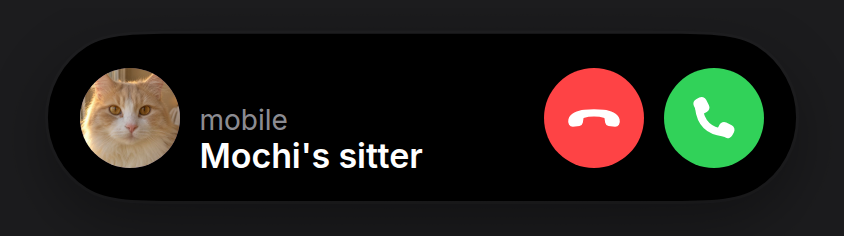
A ringing call takes over the island: it expands with the caller’s photo, their name and two round buttons, and stays open until it’s answered or declined. Once answered it settles to a compact call timer. Pass the contact’s picture as avatar, whatever it is saved with: the example’s sitter is saved under the cat they look after.
Install
npx shadcn@latest add https://islandcn.dev/r/call-activity.jsonpnpm dlx shadcn@latest add https://islandcn.dev/r/call-activity.jsonyarn dlx shadcn@latest add https://islandcn.dev/r/call-activity.jsonbunx shadcn@latest add https://islandcn.dev/r/call-activity.jsonThis writes components/islandcn/call-activity.tsx, plus the content kit and the engine if the project lacks them. Mount the island once first, see Installation.
What it shows
- Compact: while ringing, the caller’s avatar and a green phone glyph; on a call, a 241 pt pill, as the reference’s: a handset and the call’s length in semibold on the leading side and a two-tone level meter (green and orange bars with pale cores) on the trailing side, all in the light green the island uses for a live call (#76fb73), lighter than the accept button’s.
- Split: its compact pair, as the reference phone shows it, in the pill or in the 62.18 wide capsule. When the pair is too wide for the split, the fallback is the phone glyph, with the call’s length once answered.
- Expanded: while ringing, on the shortest island (84 pt): a 50 pt avatar (the photo, or initials without one), the kind of call in small grey type over the caller’s name in white semibold, and 50 pt red decline and green accept buttons, a flat handset on one and a raised one on the other. On a call, the grey line becomes the call’s length in green, and a level meter takes the accept button’s place. Answering settles the island back to compact.
- Updates: the call’s length turns over its digits with the engine’s
IslandNumber.
Usage
"use client";

import { useState } from "react";

import { CallActivity, type CallState } from "@/components/islandcn/call-activity";

export const CallIsland = ({ caller, photo, onHangUp }: { caller: string; photo?: string; onHangUp: () => void }) => {
  const [state, setState] = useState<CallState>({ kind: "ringing" });
  return (
    <CallActivity
      caller={caller}
      subtitle="mobile"
      avatar={photo}
      state={state}
      onAccept={() => setState({ kind: "active", since: Date.now() })}
      onDecline={onHangUp}
    />
  );
};
Props
callerstring
Who is calling.
stringstate{ kind: "ringing" } | { kind: "active"; since: number }
Ringing, or on a call since an epoch ms.
{ kind: "ringing" } | { kind: "active"; since: number }onAccept() => void
Accept button while ringing.
() => voidonDecline() => void
Decline while ringing, end while on a call.
() => voidsubtitle?string
The small grey line over the name while ringing: the kind of call, such as "mobile" or "Video call".
string"Audio call"avatar?string
The contact's photo, an image URL: a face, a pet, whatever the contact is saved with. The initials show while it loads.
stringthe caller's initialsid?string
Activity id.
string"call"priority?number
A call outranks most activities, so it takes the main pill.
number2Make it yours
Install this preset when it is exactly what you need. Otherwise open it in the Playground, change what each region shows and copy the code, or read its source for technique and build your own island on the engine.